At a glance
A reliable n8n AI workflow needs more than connected nodes. Define the input contract, constrain model outputs, control external actions, and design how the team will detect and recover from incomplete or incorrect work.
Define the input and outcome before arranging nodes
Write down what starts the workflow, which fields are required, and what a successful result changes. For an enquiry intake process, the input might include a message identifier, channel, customer text, and received time. The outcome might be a reviewed CRM record assigned to the right team. This description becomes the workflow's contract.
Decide how to handle missing or unexpected fields before calling a model. Normalize predictable values such as timestamps and category names in ordinary code or workflow steps. Preserve the original input alongside the normalized version when appropriate. Debugging is easier when an operator can distinguish what arrived from what the workflow inferred.
Keep the AI task narrow and validate its answer
Ask the model for a defined output, such as an allowed enquiry category and a short summary. Give it the context needed for that task and explain when it should mark information as unknown. Treat the response as untrusted input to the next step: validate required keys, permitted values, and the relationship between extracted fields and source text.
A syntactically valid result can still be wrong. Add checks that reflect the business task, such as requiring an existing order identifier before preparing an order update. Route unsupported or ambiguous cases to a review queue. Do not interpret the absence of a model error as evidence that the classification, summary, or proposed action is correct.
Control actions that affect customers and records
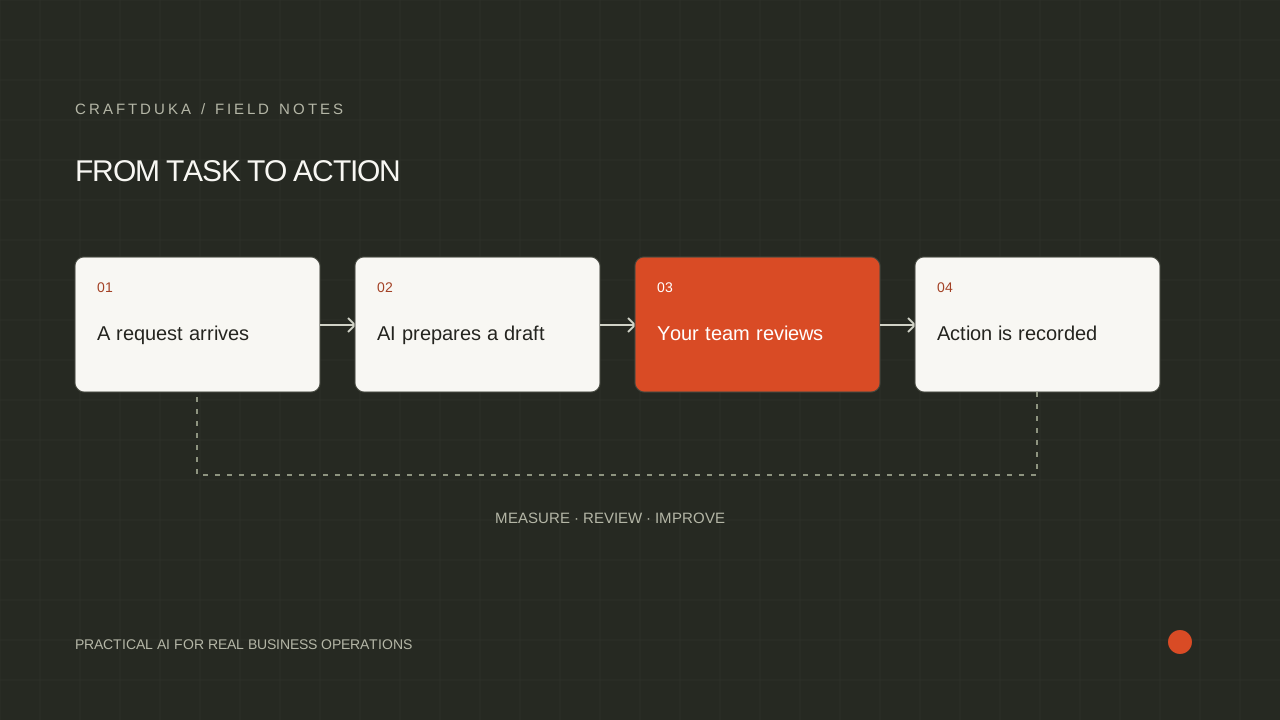
Separate drafting from sending and recommendations from record changes. A workflow can create a proposed response or update, then present the exact action for review. n8n documents human approval for selected AI tool calls. Make the review informative by including the target record, important input fields, and the reason the action was proposed.
Design duplicate protection around the business event. Store a stable identifier and the outcome of the external action so a retry does not create another CRM entry or repeat a message. Where the receiving service supports idempotency, use it. Also handle the awkward case where an action succeeds but the workflow times out before recording success.
Design failure handling before the first production run
Use retries for failures that are likely to be temporary, with a limit and a sensible delay. Invalid credentials, malformed inputs, and rejected business rules need investigation rather than endless retries. Keep a record of unfinished work and the last confirmed action. Recovery should resume safely from a known state instead of blindly replaying the whole process.
n8n's error handling documentation describes assigning an error workflow that starts with an Error Trigger. Use it to notify the operator with enough context to investigate the failure. Decide what information belongs in alerts and avoid exposing unnecessary customer content. Distinguish a workflow execution failure from a completed run that produced an unacceptable business result.
Monitor whether the work actually finished
Track the count of received events, completed outcomes, waiting approvals, and unresolved exceptions. A scheduled workflow that never starts may not produce a failure notification, so check expected activity as well as error logs. Set ownership for reviewing those signals and for keeping connected credentials and source documents current.
Before changing prompts, models, or integrations, rerun representative examples and inspect affected actions. Include duplicates, missing fields, unavailable dependencies, and rejected approvals. Maintain a short runbook that explains how to pause the workflow, inspect a case, and resume safely. Reliability comes from explicit operating decisions that remain understandable after the original builder hands over the system.
- Name the owner of each workflow and its review queue.
- Store enough context to trace an outcome to its source event.
- Make the manual fallback available to the operating team.
Key takeaways
- Validate data before and after the AI step, including the business meaning of outputs.
- Protect external actions from duplicates and require review where consequences matter.
- Monitor completed business outcomes as well as workflow execution errors.
Frequently asked questions
Why can an n8n workflow succeed while the business task fails?
An execution can complete even when its output is incomplete, inaccurate, or routed incorrectly. Add explicit checks for the expected business outcome and track unresolved work separately from technical execution errors.
Should every failed workflow be retried automatically?
No. Retry temporary failures only when the action can be repeated safely, and route permanent errors or uncertain external outcomes for investigation.
Where should human review sit in an AI workflow?
Place review before actions that need judgment or have meaningful external consequences, and when the evidence is insufficient. Show the reviewer the proposed action and relevant context so approval is a real decision.